Set up your desk
Start HelpBuoy Desk, run the relay on your own computer and make it reachable from outside.
Download and start
Download HelpBuoy Desk for your computer and unpack it anywhere you like. The archive holds two programs side by side: helpbuoy-desk (the app) and helpbuoy-relay (the relay, for when you want to run it separately). There is nothing to install.
Start helpbuoy-desk. On the first start it creates its own key, which identifies you as a helper. It keeps that key from then on.
Start the relay
The desk app opens with a box that asks for a relay address. Leave the field empty and press Connect. The desk app then runs a relay on this computer and adds you as its first helper. That’s all.
Your operating system may ask whether HelpBuoy may accept incoming connections. Allow it.
Make it reachable from outside
The people you help connect to your computer over the internet, on TCP port 5959. On most home and office routers that means one port forward:
- Find your computer’s address in your local network (something like
192.168.1.20). - In your router’s settings, forward TCP port 5959 to that address.
- Find your public address, or better, set up a free dynamic DNS name such as
helpme.example.com, so the address stays the same when your provider changes your IP.
The address you end up with is what the people you help type in. If you use the default port 5959, they only need the name, without :5959.
Set the title and instruction
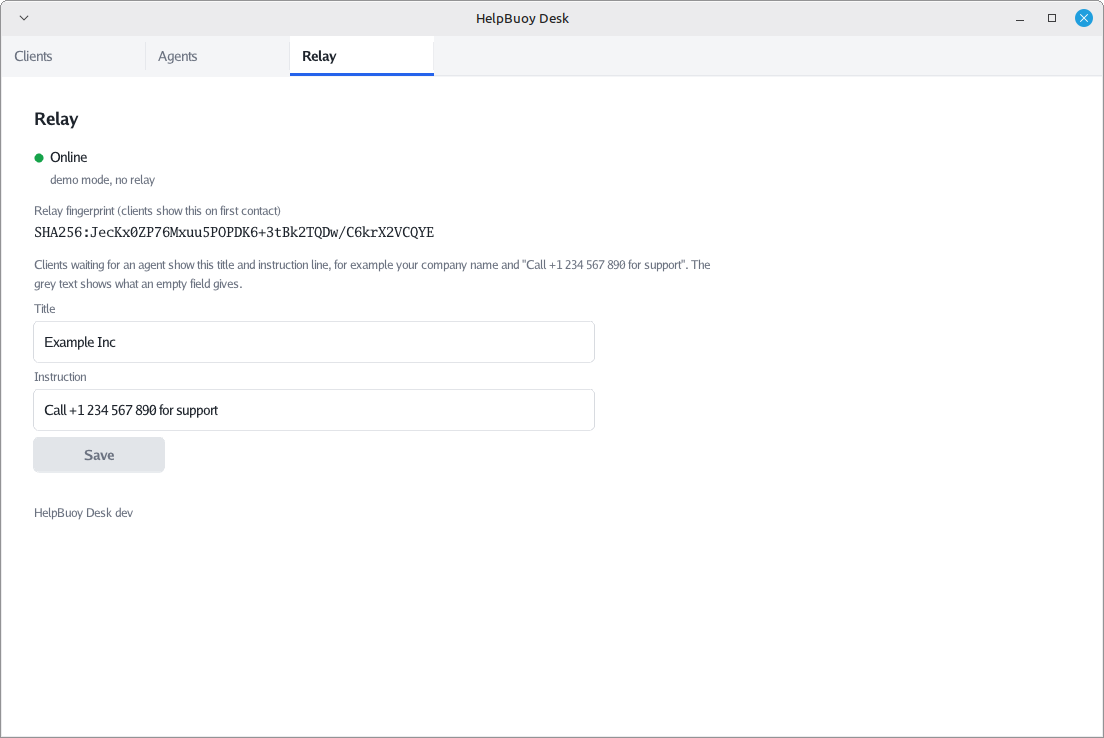
Open the Relay tab. The title and instruction are what the people you help see while their HelpBuoy waits for you, for example your name and “Call me on 06 12 34 56 78 if something is wrong”. Press Save and everyone sees the new text right away.